確定申告のレシート整理アプリ|「捨てる前に撮る」だけで終わる
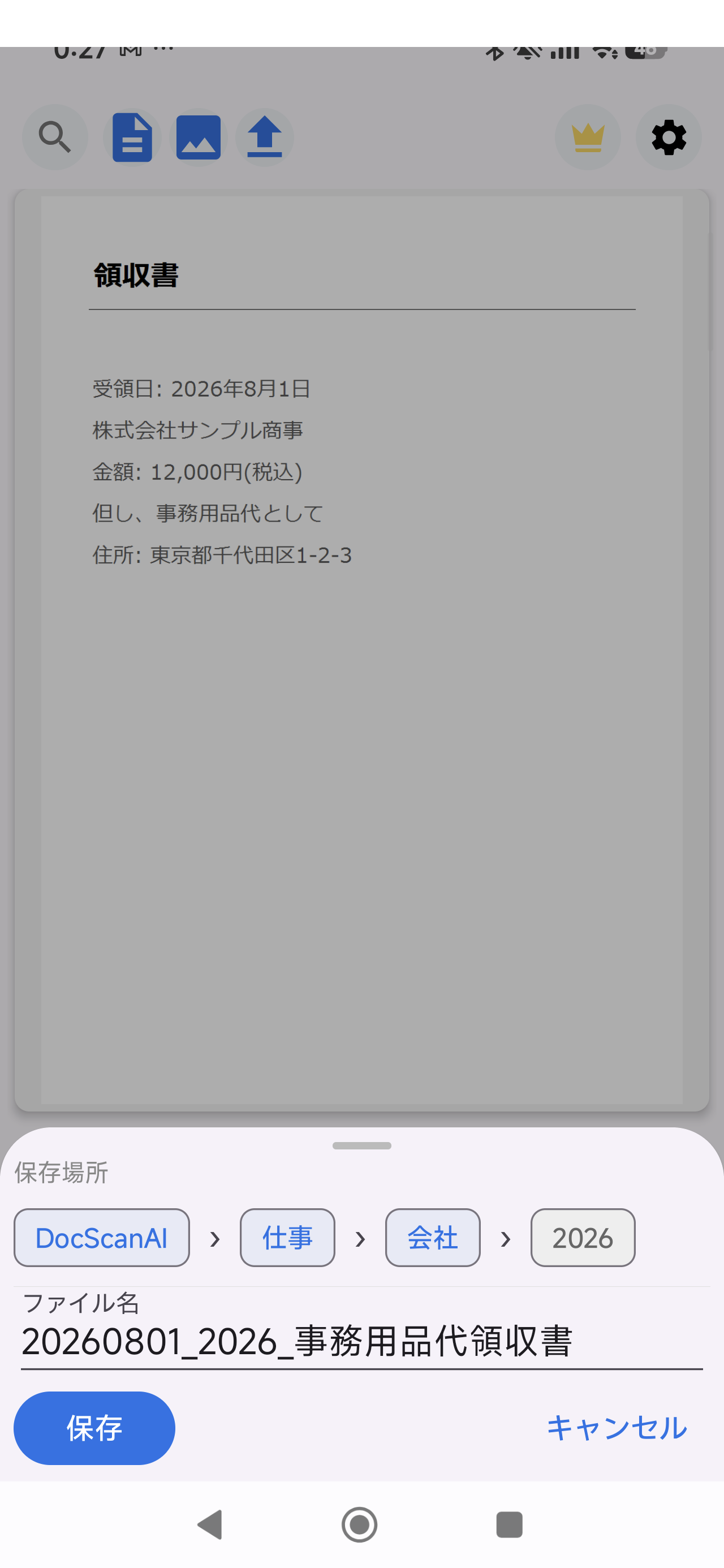
レシート・領収書をスマホでスキャンしてPDF化し、確定申告の準備を楽にします。DocScan AIはAIがファイル名(日付・店名・内容)と保存先フォルダを自動提案する、整理特化のスキャナーです。
よくある困りごと
- レシートの束が溜まって、確定申告の直前に慌てる
- 写真フォルダの「IMG_0001.jpg」では後から探せない
- 月別・用途別の仕分けが面倒
使い方(3ステップ)
- 撮る: レシートをカメラで撮影(複数枚のまとめ撮りOK)
- AIが整理: 日付・店名を含むファイル名と保存先フォルダを自動提案
- 保存: 確認してPDF保存。紙は捨ててOK
料金:無料版と買い切りPro
スキャン・PDF化は無料(透かしなし、広告なし)。AI自動整理は買い切りProで解放され、サブスクはありません。
Google Play で入手
関連記事: 確定申告のレシート整理、今年は「捨てる前に撮る」だけで終わらせる(note)
← トップに戻る
Receipt organization for tax season: just snap before you toss
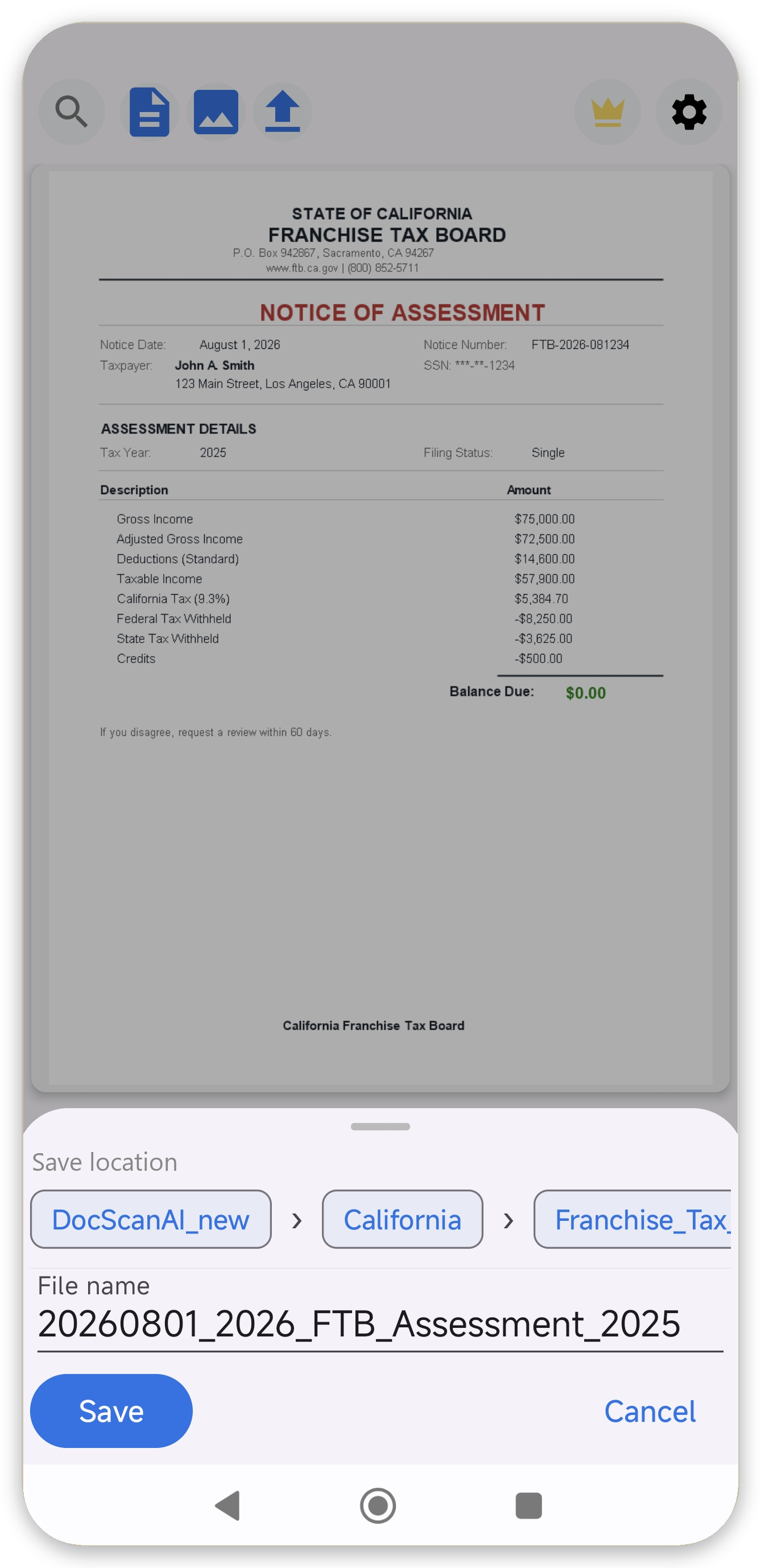
Scan receipts into PDFs and breeze through tax prep. DocScan AI is an organization-first scanner: AI suggests file names (date, store, content) and save folders automatically.
Common headaches
- Piles of receipts before the tax deadline
- "IMG_0001.jpg" photos you can never find again
- Tedious month-by-month sorting
How it works (3 steps)
- Snap: photograph receipts, batch capture supported
- AI organizes: auto-suggests filenames with date and store plus a save folder
- Save: review and save as PDF, then toss the paper
Pricing
Scanning and PDF export are free (no watermark, no ads). AI auto-organization is a one-time Pro purchase. No subscription.
Get it on Google Play
← Back to top